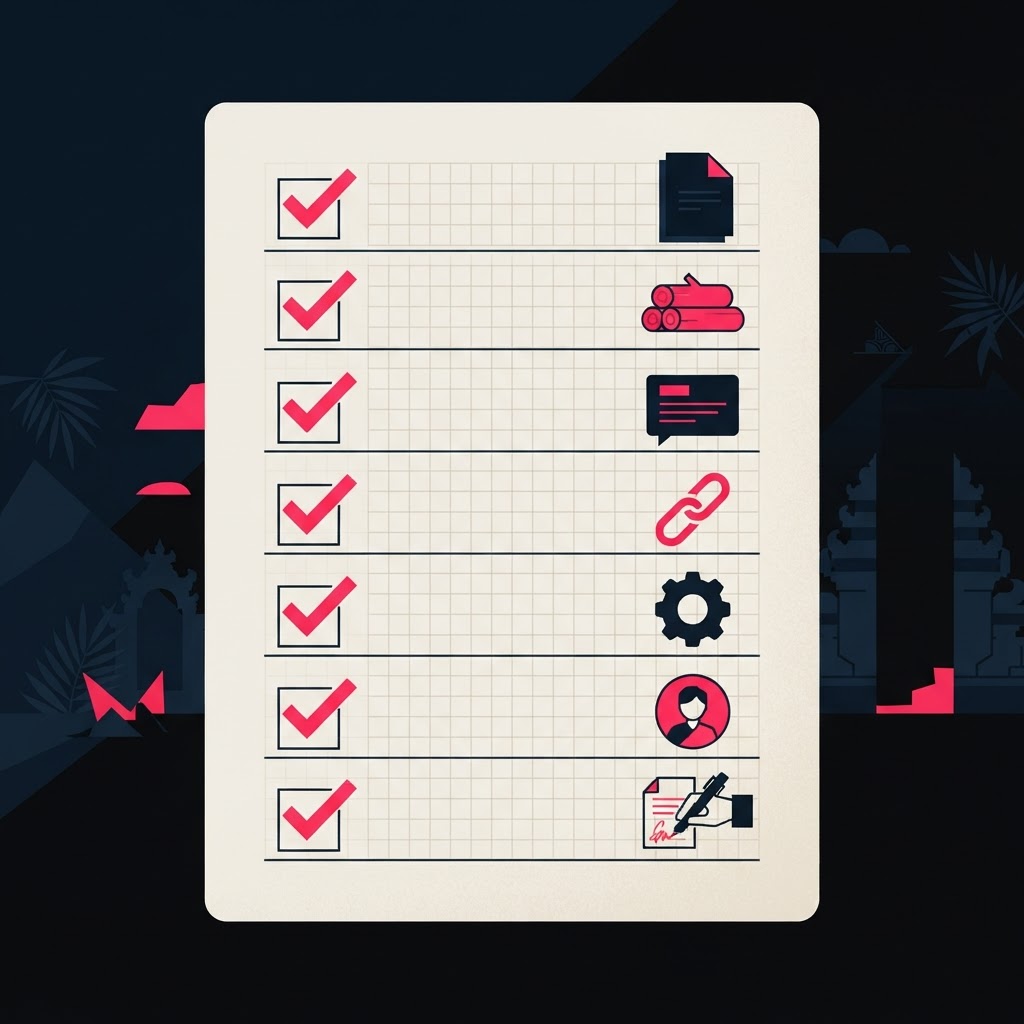
Every guide on how to learn AI step by step for beginners has the same shape. Week one, pick a tool. Month two, specialise. Month three, automate. The steps are measured in weeks elapsed and tools installed, and at no point does anyone tell you what you must have made before you are allowed to move on. That is why so many beginners finish "step 4" with nothing to show for it. This plan fixes that. Seven steps, and each one ends in a deliverable: something that exists outside your head, and from step four onward, something that lives at a link. ## The short answer Learn AI in seven steps, and don't leave a step until its deliverable exists: 1. Understand what AI can and can't do. Deliverable: a one-page note, five things it did well, three it got wrong. 2. Use one tool on real work for two weeks. Deliverable: a log of five real tasks you replaced. 3. Learn to prompt properly. Deliverable: ten old prompts rewritten, with before and after. 4. Build one tiny thing. Deliverable: a live link. 5. Automate one workflow. Deliverable: an automation that ran on real inputs for a week. 6. Ship a project another person uses. Deliverable: the project plus a short write-up. 7. Decide whether to go into code. Deliverable: a written decision, with a date. That's roughly the first 90 days. If you want the bigger map of what comes after, the full AI learning roadmap covers five stages with an exit test for each. This article is the step-by-step version of the first two. ## Why "step by step" usually fails beginners The problem isn't the steps. It's what counts as finishing one. Most beginners finish steps by watching. Skilzy calls consuming passive content the worst mistake in AI learning: you feel like you're learning because you understand the concepts, but you can't do anything when a real problem shows up. Its ratio is 80% practice, 20% theory, and its eight-step roadmap was tested on more than 200 learners who had never touched AI six months earlier. Coursiv names the same trap as tutorial hell: endlessly starting new courses to feel productive while never shipping a project. Its advice is the rule this whole article runs on: judge a path by what you can build, not by how much you've watched. The second failure is starting in the wrong place. Learn Computer Academy lists "starting with coding first" among the mistakes that make beginners quit: they jump into Python on day one, get scared, and stop. Learn to use AI first. Code later, if you need to. The third failure is trying to learn everything at once. Beginners in AI puts it bluntly: you do not need a computer science degree to use AI effectively, and trying to learn prompting, Python, machine learning theory and AI ethics at the same time leaves you progressing at nothing. Pick one path, go deep, then expand. The same guide finds that 80% of the practical value you'll get from AI comes from learning to prompt well, which is why prompting is step three here and Python is step seven. Not sure which door to walk through at all? Read where to start learning AI first. It sorts the three kinds of "learning AI" and gives you one starting resource for each. ## The 7 steps, each with a deliverable Each step has three parts: what you learn, how long it takes (every number comes from the ranking guides, not from us), and the deliverable that proves you're done. ### Step 1: Learn what AI can and cannot do (one afternoon) Learn: the five words you'll hear constantly: AI, machine learning, generative AI, large language model, prompt. And the three rules: AI gives wrong answers with full confidence, it can't read your mind, and it's a helper, not a replacement for your thinking. Time: AnyCap says one afternoon of reading is enough, and warns against spending weeks on it. You'll deepen the understanding as you build. Deliverable: explain AI to a family member in your own words, which Learn Computer Academy sets as week-one homework, then write one page: five things it did well for you, three things it got wrong. Keep that page. You'll laugh at it in step six. ### Step 2: Use one tool on real work for two weeks Learn: one chatbot, used daily, on tasks you actually have. Beginners in AI's plan for weeks one and two is exactly this: pick a single tool, commit to it for two weeks, and replace five real tasks you normally do by hand. Not "practising prompts". Real emails, real summaries, real plans. Pay attention to when the result is great and when it falls flat. That pattern recognition is the foundation of everything after. Time: about 30 minutes a day. Learn Computer Academy's version is one real task a day for 15 days, and says that daily habit matters more than any course. Deliverable: a log of five real tasks you replaced, with one line each on how it went. ### Step 3: Learn to prompt properly (your first 20 hours) Learn: a repeatable prompt structure. Learn Computer Academy teaches a four-part formula: Role (who the AI should be), Task (what you want), Details (your situation), Format (how the answer should look). Its example turns "explain percentages" into "you are an experienced maths teacher, explain percentages to a class 10 student who finds maths hard, simple words, three examples from daily life like shopping discounts". Same tool, different result. Time: Beginners in AI recommends spending your first 20 hours on prompting, because those skills transfer across every tool and every future model. Deliverable: take ten of your old prompts from step two, rewrite them with the formula, and keep the before-and-after pairs. If you want to stay on the no-code path for a while, this is where you can learn AI without coding in depth. ### Step 4: Build one tiny thing and put it at a link This is where our plan leaves the SERP behind. From here, every deliverable is public. Learn: vibe coding, meaning you describe what you want in plain language and an AI coding tool writes it. Skilzy puts this at weeks two and three and insists the first project is concrete, useful and small: a personal page with your CV, a tool that turns a list of names into printable labels, an interactive checklist for a daily routine, a mini quiz on a topic you know. Time: a few evenings. Deliverable: a live link you can send to someone. Not a screenshot, not a file on your laptop. The point isn't the thing itself; it's that you now know you can make a thing exist. ### Step 5: Automate one workflow that runs without you Learn: connecting AI to a trigger so it works while you're not typing into a chat box. Beginners in AI's month three covers no-code automation platforms like Zapier and Make, with examples worth copying: when a customer emails, AI drafts a personalised reply; when a lead fills in a form, AI researches the company and writes a briefing. It bands automation capability at 50 to 80 hours on top of power-user skill. Deliverable: one automation that ran on real inputs for a week. If you want a guided first build, follow how to build your first AI agent with no code. ### Step 6: Ship a project another person uses Learn: scoping a real problem, building for it, putting it in front of a user, fixing what breaks. Skilzy's step six is a project that genuinely helps your life: an internal mini tool for your team at work, an automation for invoices or scheduling, a landing page for a side project. It says this is where you cross from "I need to learn" to "I know how to do this". Time: typically four to six weeks at three to four hours a week, per the same guide. Deliverable: two things. First, the project, deployed and reachable through a link; Futurense makes that a hard rule for its final phase, "not just code on GitHub", because courses prove you can follow instructions and projects prove you can solve problems. Second, a short write-up: the problem, your approach, what you learned. Coursiv says that habit turns a folder of code into a portfolio you can talk through in an interview, which matters far more than a certificate. The bar for "done" is a named person, not you, using it more than once. Stuck for a subject? Start with these AI project ideas for beginners, then turn the result into a page that proves it with a portfolio built with no experience. ### Step 7: Decide whether to go into code Only now do you choose. Learn Computer Academy puts this decision at month six: Path A, the AI power user, keeps going deeper on tools and workflows; Path B, the AI builder, starts Python. Most people belong on Path A, and that's a real path, not a consolation prize. If you felt the pull toward the technical side in steps four to six, here is what Path B honestly costs: - Coursiv: Python basics in two to four weeks, then fundamentals and simple projects in three to six months at six to ten hours a week, with job-ready depth taking a year or more.
- Futurense: six to nine months to a job-ready foundation at eight to ten hours a week.
- Beginners in AI: 300 to 500 hours over three to six months for technical skills, with the required math coverable in about 40 hours on Khan Academy, learned alongside the programming rather than before it.
- DataCamp sequences it as months one to three on Python, data handling and prompt engineering, months four to six on APIs and retrieval systems, months seven to nine on agents, then deployment and specialisation. Deliverable: a written decision, one paragraph, with a start date. "Path A, and my next automation is X" is a complete answer. So is "Path B, Python starts Monday". What you want to avoid is the silent third option, which is drifting. If you choose B, the crossing from AI user to AI builder is its own guide. ## How many hours each step really takes Every number below is from the ranking guides. Treat them as ranges. | Level | Hours or time | Source | |---|---|---| | Basic AI literacy | 5 to 10 hours | Beginners in AI | | Comfortable daily chatbot use | 2 to 3 weeks | Learn Computer Academy | | First tiny projects, daily tool use | 10 to 20 hours of practice | Skilzy | | Power user (prompting, tool choice) | 30 to 50 hours over 4 to 8 weeks | Beginners in AI | | Automation capability | another 50 to 80 hours | Beginners in AI | | First real project | 4 to 6 weeks at 3 to 4 hours a week | Skilzy | | Own apps and automations | 2 to 3 months at a few hours a week | Skilzy | | Projects and a portfolio | 6 months at 30 minutes a day | Learn Computer Academy | | AI basics, then job-ready on the technical path | 2 to 3 months, then 6 to 12 months | How to Learn AI | | Technical skills (Path B) | 300 to 500 hours over 3 to 6 months | Beginners in AI | Add the no-code rows up and steps one to six land somewhere around 100 to 150 hours. That's a semester of evenings. The exact-match competitor for this search, How to Learn AI, quotes two to three months for the basics and six to twelve months to job-ready, which only makes sense if you assume the technical path for everyone. You don't have to. The pacing rule is the same in every source: Learn Computer Academy says 30 minutes daily for six months beats five hours once a week, and Coursiv says thirty honest minutes a day beats a weekend binge every few weeks. Put a date on each deliverable and the daily minimum takes care of itself. ## Where this goes next: real stakes Steps one to six teach you to build. They can't teach you to build when it matters, with a deadline, a user who complains and a team relying on your output. That part only comes from real ventures. That's the model at EX EPIC Academy (formerly EX Venture Academy). We skip the case studies. Students from 26 nations work on 15 live projects, with no grades and no exams. Participants are placed in operational roles at real ventures, including Gemino AI in automation, Zero X in waste-to-energy and LIV Urban Sanctuary in wellness. The deliverable at that stage isn't a link. It's a result in a real organisation you can point at and say "I shipped that". Start with step one this afternoon. The deliverable is one page. ## FAQ ### Can I learn AI step by step on a mobile phone? Yes, for the first three steps. ChatGPT, Gemini and Claude all have free mobile apps, so understanding AI, using it daily and learning to prompt all work from a phone. A computer helps from step four, when you start building things that live at a link. ### Do I need a computer science degree to learn AI? No. Using AI well needs no degree and no math. Even the technical path is learnable without one: Python plus a working grasp of linear algebra, basic calculus and probability, which many engineers pick up alongside the programming rather than before it. ### Which programming language should a beginner learn for AI? Python, and only if you choose the builder path at step seven. Its AI libraries are the richest, most tutorials assume it, and the basics take two to four weeks. There's no reason to learn any other language first. ### Should I learn how AI works before I start using it? One afternoon of concepts is enough. Theory makes far more sense after you've built something, because you've seen the ideas in action. The loop that works is: build something, hit a wall, learn the concept, build again. ### How do I know I have finished a step? The deliverable exists outside your head. For steps one to three that's a page, a log or a set of rewritten prompts. From step four it's a live link, and from step six someone other than you has used what you built. Time spent doesn't count; only the deliverable does.